Apex Cosmos
Sun, Moon, Earth and Mars on your home screen – fetched from public space archives or computed on your phone for right now.
Coming soon to Google PlayApex Cosmos is not in the store yet.
- Android 8.0 or later
- English and German
- No account, no ads, no trackers
My planet in the app’s full-screen preview, view “My country” (Germany) with auto zoom. Time-lapse at 50× speed: one full zoom cycle, looping seamlessly.
One day under the sky
Scroll through a day. Each part of the app shows up at the hour it belongs to – and says honestly where its picture comes from.
Your country, as the day–night line crosses it Pro
A rendered 3D Earth, centred on one of 238 countries. Day and night are computed for this moment: city lights come on along the real terminator, the Moon and the Milky Way hang behind it. Computed for now – the surface image itself is a monthly mosaic from 2004 to match the season, not a live photo.
View
- My country, dusk, dawn or free flight around the globe
- Zoom from planet to continent to country, or automatic zoom in and out
- Optional drift north and south
What you see
- Surface to match the season, city lights at night
- The ISS as a 3D model, with its path for the next 30 minutes
- Aurora from NOAA’s forecast
- The Sun behind the edge of the Earth when it stands there
- Moon in the picture, as moonlight, or both · Milky Way
Detail
- Optional sharper Earth image (28 MB), Wi-Fi by default
- Info line with local time, sunrise and sunset, next ISS pass
- Brightness and contrast per screen
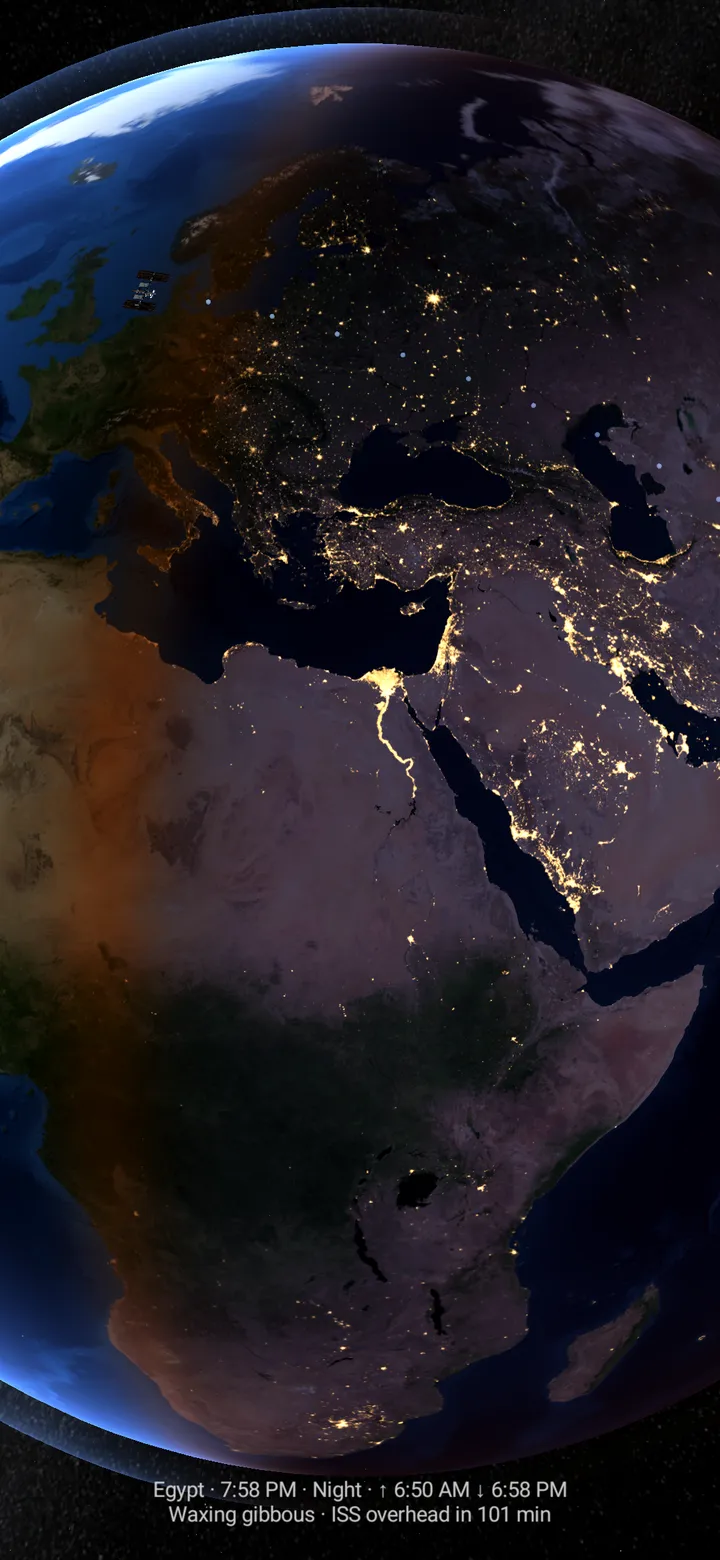
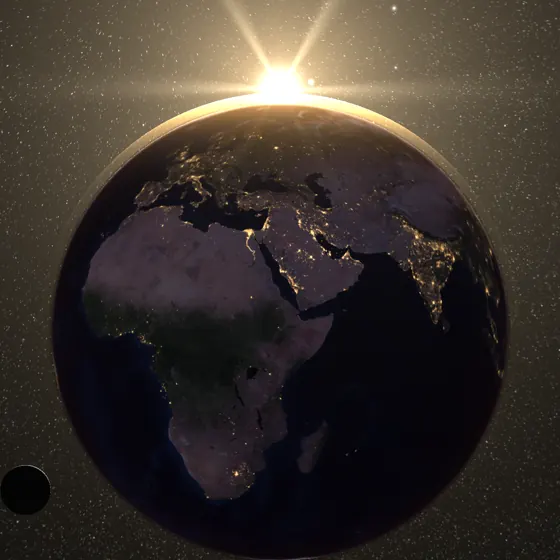
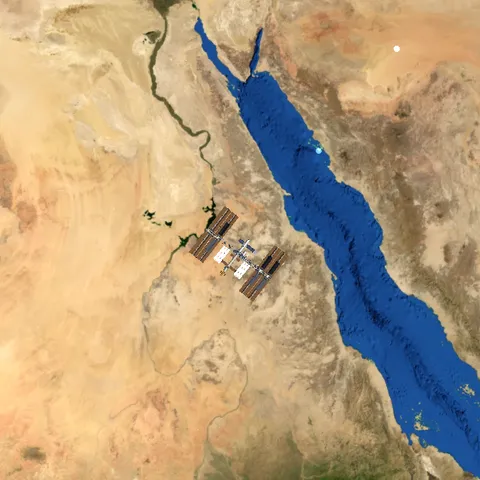
Image: Earth: NASA Earth Observatory (public domain) · Moon: NASA’s Scientific Visualization Studio · ISS orbit: CelesTrak · Milky Way: ESO/S. Brunier. Milky Way: CC BY 4.0 · reprojected to galactic coordinates, resized and cropped as a screenshot.
The Sun, checked every 30 minutes Pro
Images of the Sun from the Solar Dynamics Observatory. Every 30 minutes the app looks for a new picture in NASA’s public archive, and it stops looking once your screen has been off for more than an hour. After a strong solar flare the wallpaper adds a brighter corona – an effect, not a measurement.
Detail
- Info line with channel and the time the picture was taken (UTC), at the top or bottom
- Over mobile data only if you allow it
- The channel applies to home and lock screen alike
Captured in the app on 22 September 2026; the archive image was from 21 September, 15:42–15:54 UTC. Image: Courtesy of NASA/SDO and the AIA, EVE, and HMI science teams (public domain).
Earth, current to the day Pro
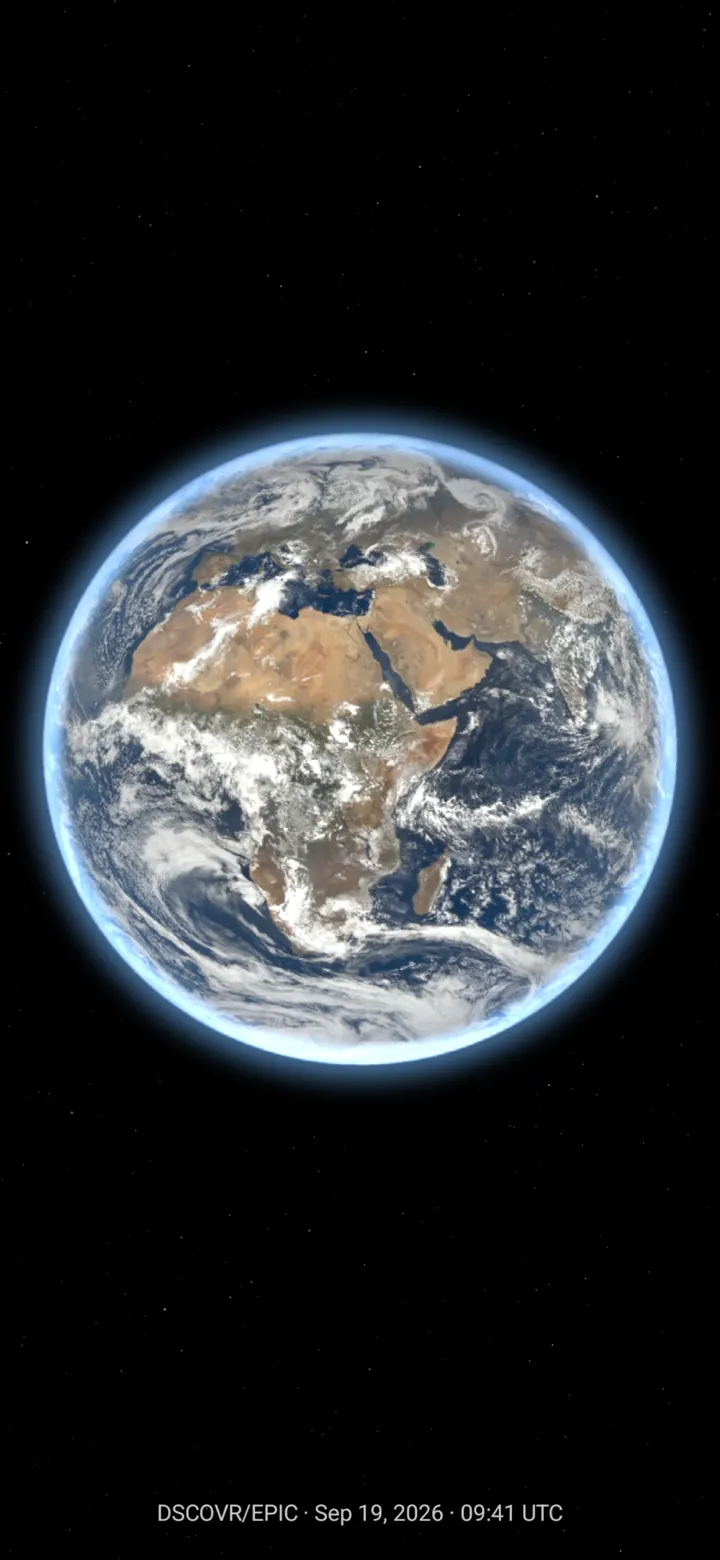
The whole day side of the Earth from about 1.5 million kilometres away, taken by the EPIC camera on the DSCOVR spacecraft. The app checks every six hours; the pictures are usually one to two days old.
Detail
- Info line with the time the picture was taken (UTC), at the top or bottom
- Over mobile data only if you allow it
- Brightness and contrast per screen
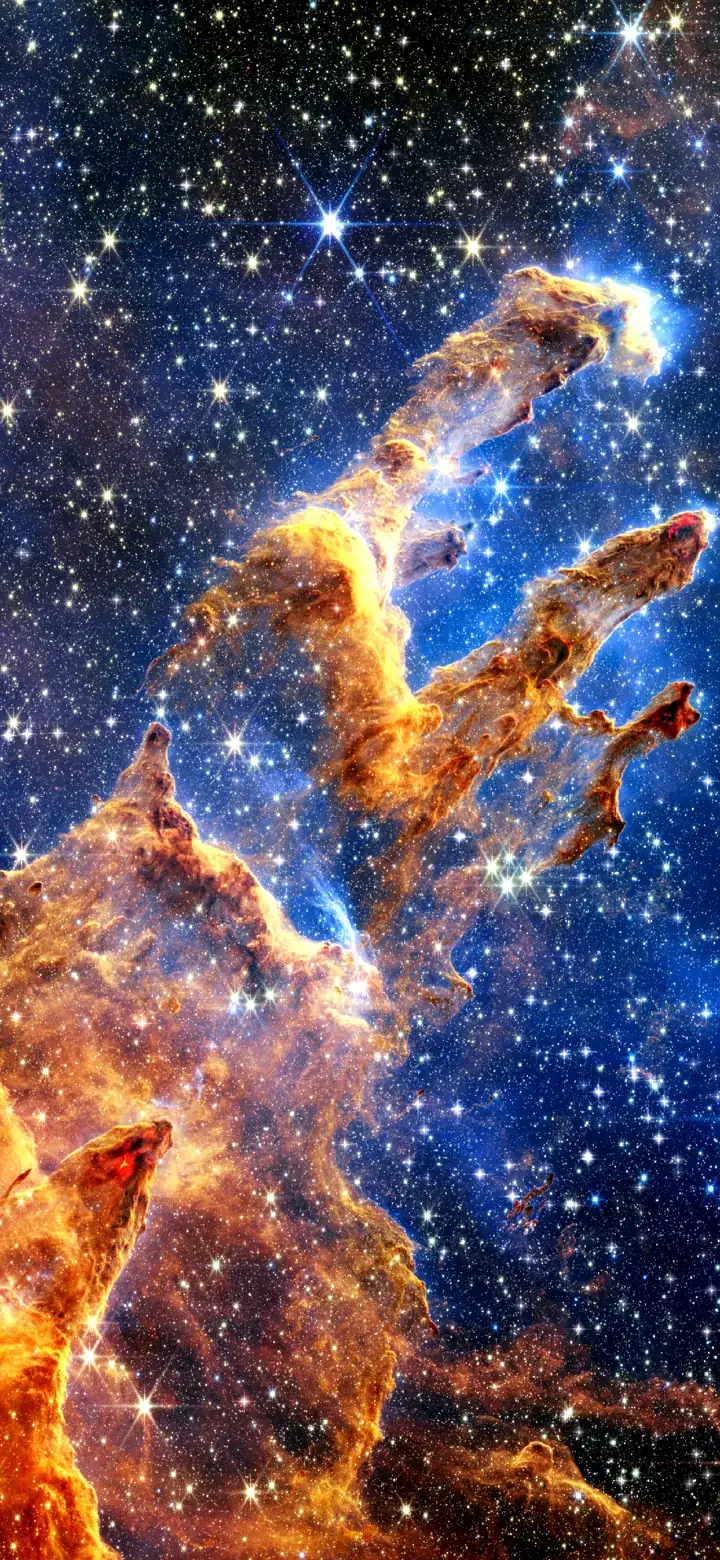
Or a photograph that moves with you Free
Nine space photographs come with the app. They follow the tilt of your phone and can move on their own – slowly, like the sky.
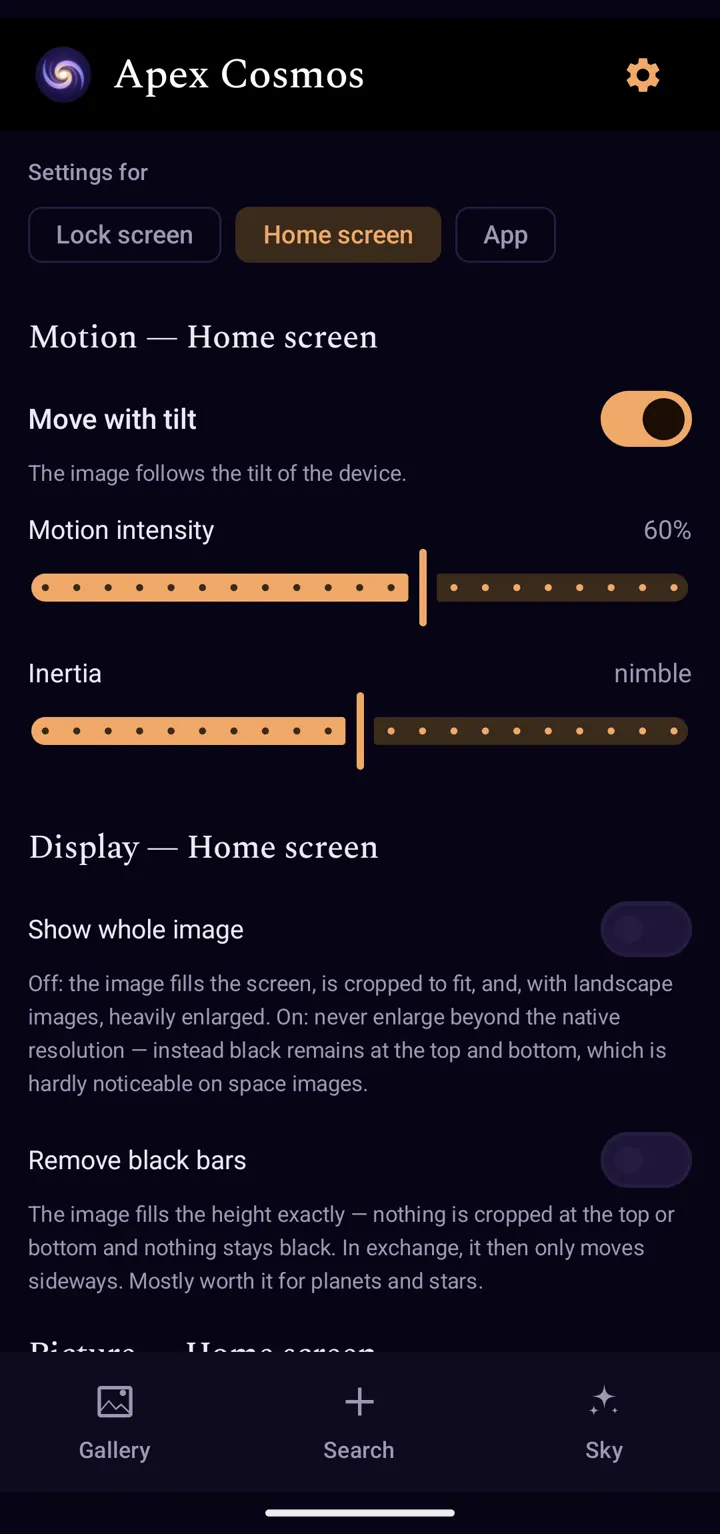
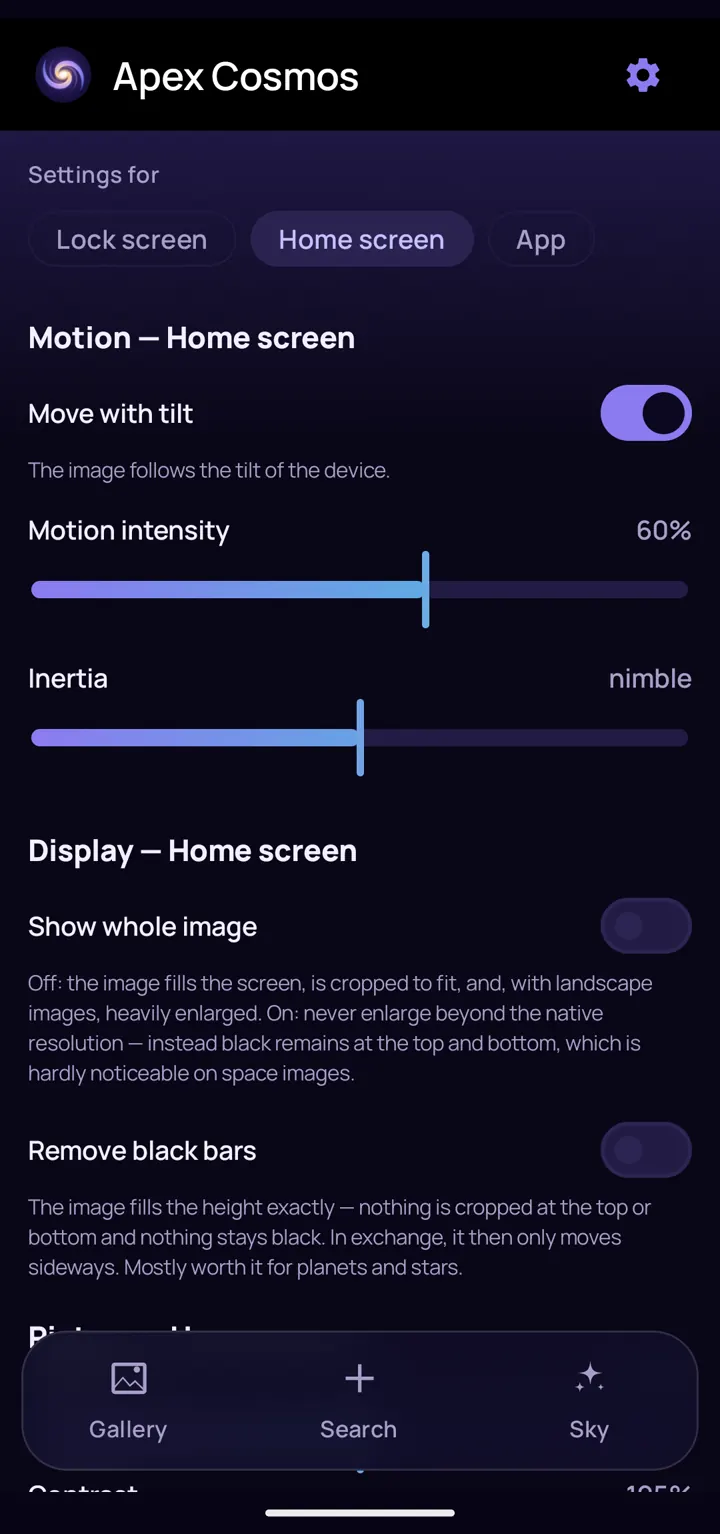
Motion
- Move with tilt, with intensity and inertia
- Drift and zoom · stardust · rotating galaxy
- Flowing nebula · twinkling stars · shooting stars
- Speed and interval adjustable · pause in battery saver
Display
- Show the whole image or remove black bars
- Brightness and contrast
- Change the image hourly or daily
- Two looks: Night vision and Nebula glass
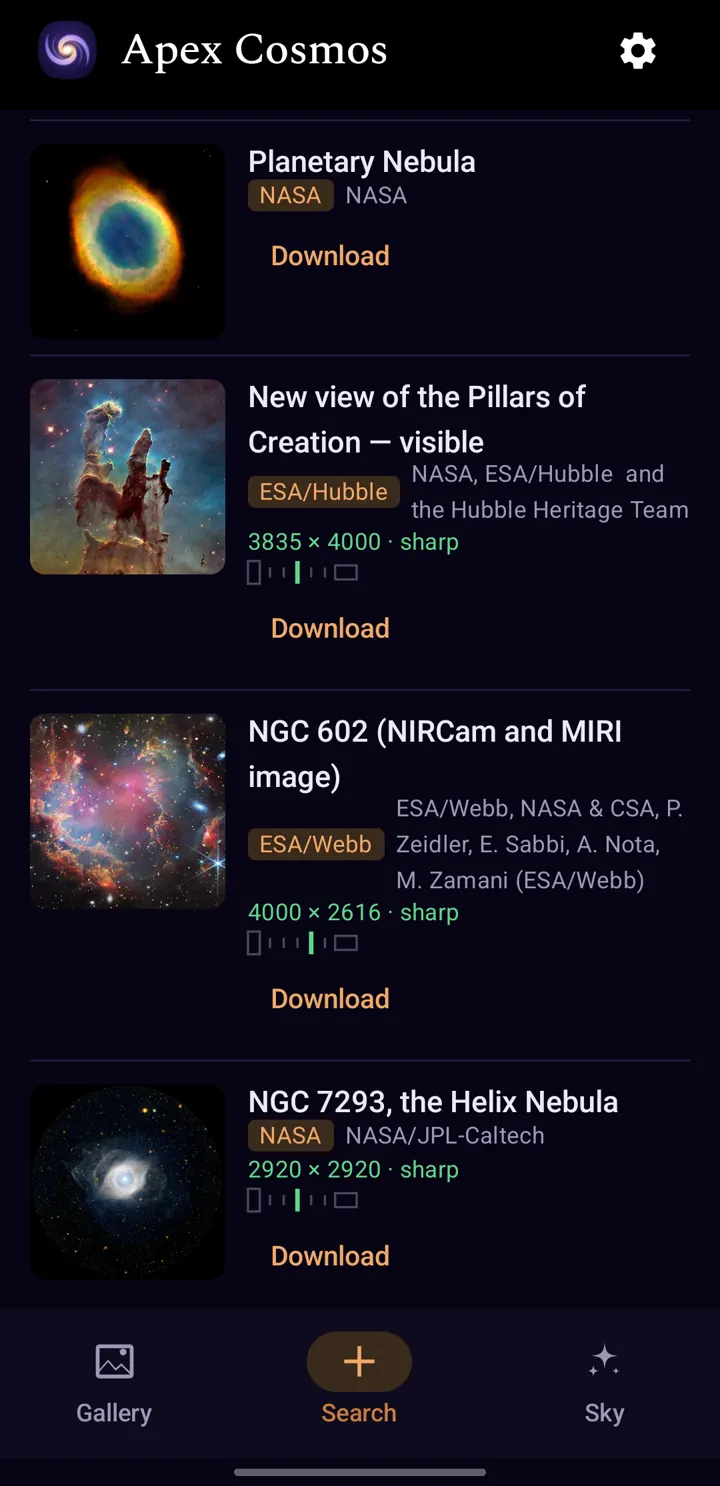
Search
- Search NASA’s image library and the ESA/Hubble and ESA/Webb archives at once
- Sharpness shown before you download
- Credit, licence and source kept with every image
- Details on hold: title, telescope, distance, date
- Up to five downloaded images at a time free, more with Pro
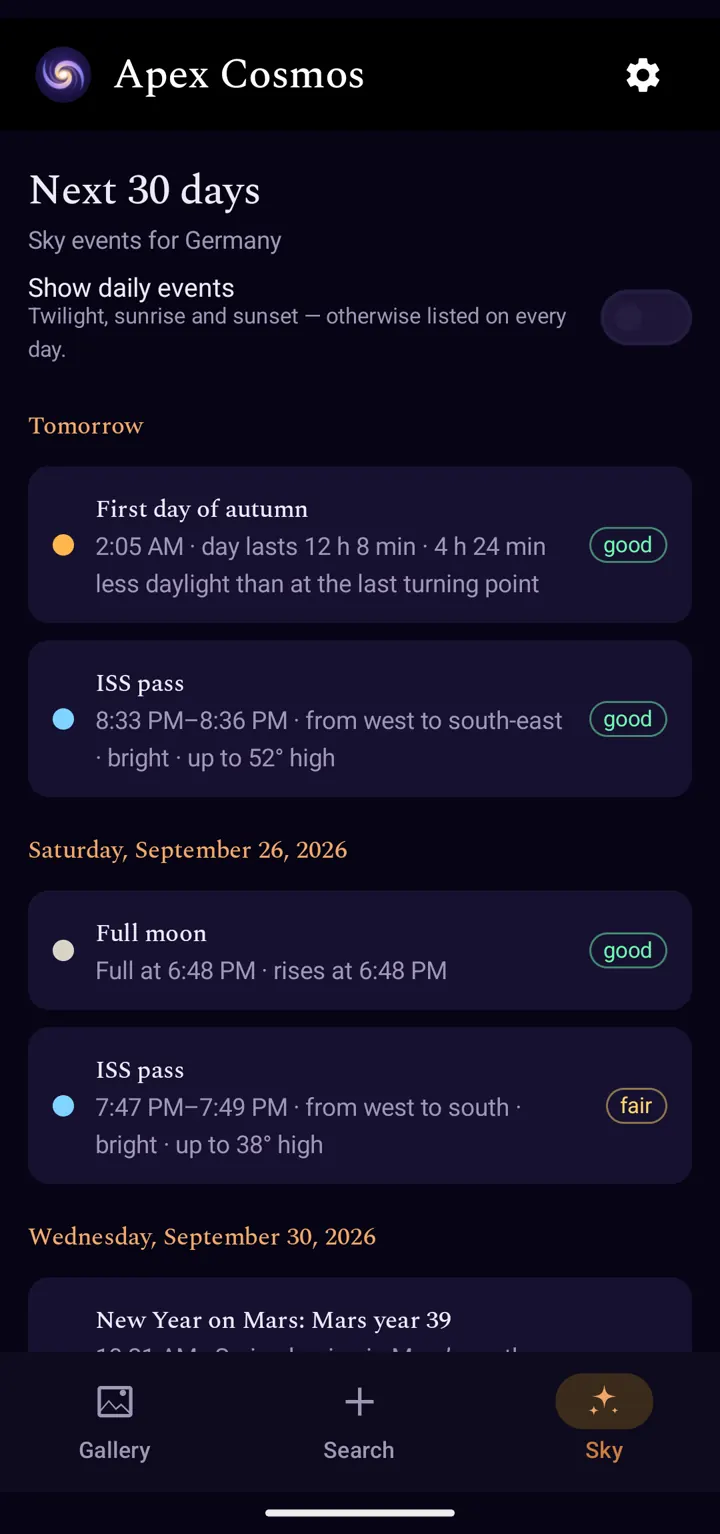
ISS in the sky at 20:33 – and your phone tells you Pro
The Sky tab lists what is visible from your place in the next 30 days – clear skies permitting – each event with direction, height and a visibility rating. The events are computed on the phone; orbits and the aurora forecast come from CelesTrak and NOAA.
Events
- ISS and Tiangong passes
- Full and new moon, supermoon and micromoon
- Solar and lunar eclipses
- Meteor shower maxima with moon conditions
- Oppositions of Mars, Jupiter and Saturn · Venus and Mercury at their best · Moon next to a planet · planet parades
- Aurora notices from NOAA’s Kp forecast · solar flare info
- Solstices, equinoxes, astronomical darkness, sunrise and sunset
- Seasons and New Year on Mars
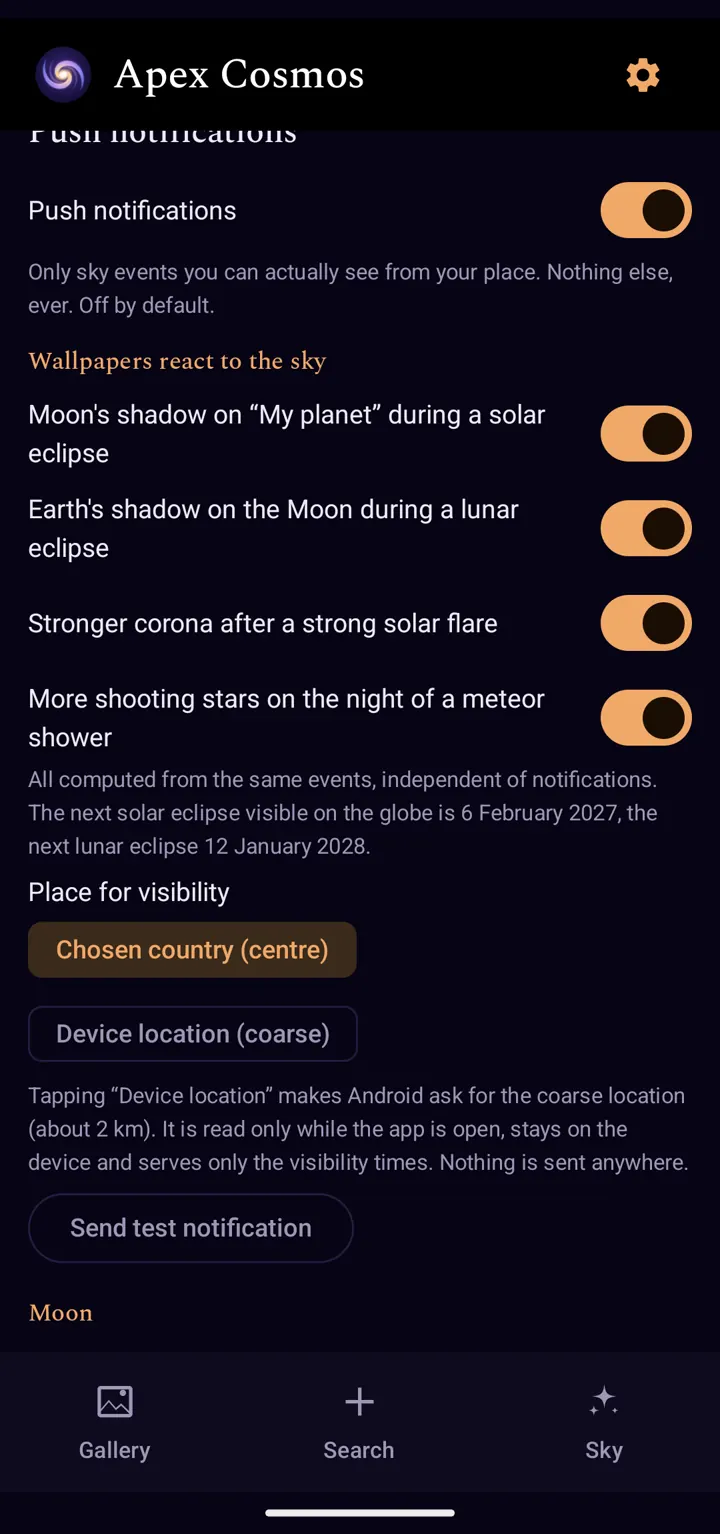
Notifications
- Off by default
- In the morning, one hour before, or both
- Quiet hours and a daily maximum
- “Add to calendar” for any event
Your place
- A country of your choice, or your device location
- Location is optional, coarse (about 2 km) and only read while the app is open
The wallpaper joins in
- The Moon’s shadow on My planet during a solar eclipse
- The Earth’s shadow on the Moon during a lunar eclipse
- More shooting stars on the night of a meteor shower
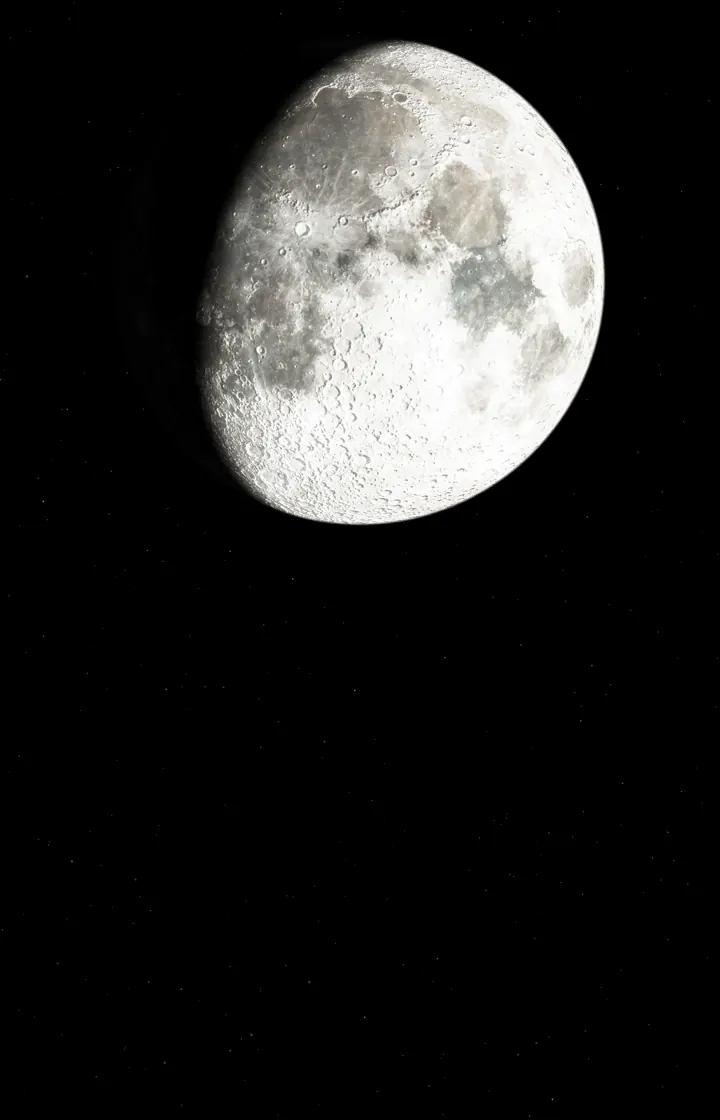
The Moon tonight, computed Free
Phase, libration and apparent size are computed for the present moment and laid over NASA’s map of the Moon – without a network. The line between light and dark moves across it through the day, craters cast long shadows along it.
More
- Turn it for the southern hemisphere
- Home and lock screen set separately
- Full-screen preview of every live wallpaper before you set it – Pro ones included
Live wallpapers on the lock screen need Android 14 or later, and it depends on the manufacturer. Photos work on the lock screen on every version.
Mars, day and night by Mars time Free
A rendered globe of Mars, centred on one of ten landing sites from Viking 1 to Perseverance. Day and night are computed from Mars time, and dusk glows blue as it does there. The map ships with the app and works offline.
On the globe
- Landing sites as points of light
- Curiosity and Perseverance at their latest reported position, with sols and distance driven
- Phobos and Deimos on their orbits
- Info line: Mars time, sol, distance to Earth, light travel time
Detail
- Optional sharper map tiles around the landing site, Wi-Fi by default
- Night side adjustable – made for the picture, not a measurement
Mars in the app’s full-screen preview, view “Landing site” (Perseverance, Jezero Crater) with auto zoom. Time-lapse at 50× speed, looping seamlessly.
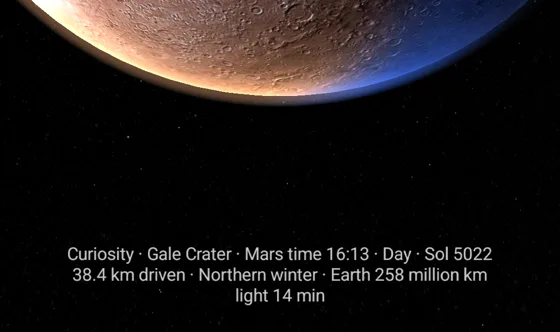
Image: Viking MDIM 2.1 (NASA/USGS Astrogeology), MOLA (NASA/GSFC), NASA Solar System Treks · Rover positions: NASA/JPL-Caltech · Milky Way: ESO/S. Brunier (eso.org/
What you won’t find in it
- No account
- You open the app and it works.
- No ads, no analytics
- No advertising, no tracking, no crash reporting service.
- No server of ours
- Images and data come straight from publicly available archives and services. Moon, sunlight, Mars time and sky events are computed on your phone.
- Location stays on the phone
- Optional, coarse, read only while the app is open. The app sends it nowhere, and deletes it the next time you open the app after you take the permission back.
Free and Pro
The purchase is not in the app yet. This is the split once it arrives – a one-time purchase, no subscription.
Free
- All nine photos with every motion setting
- Image search in three archives, up to five downloaded images at a time
- Moon as a live wallpaper
- Mars as a live wallpaper, with rovers and moons
- Full-screen preview of every live wallpaper
- Home and lock screen set separately · both looks
Pro One-time purchase, no subscription
- My planet as a live wallpaper
- Sun as a live wallpaper
- Earth as a live wallpaper
- Sky calendar with notifications
- Download as many images as you like – the app keeps what fits in 300 MB and clears the ones not shown for the longest first
Apex Cosmos is coming to Google Play
For Android 8.0 or later, in English and German.
Coming soon to Google Play
Apex Cosmos is new. The app is still being developed, and more updates are in the works.